Sitzplan Generator
Prerequirements
The SitzplanGenerator is based on java. To execute the program, a java runtine engine (jre) Version 8 or higher has to be installed.
You can download the jre here.
Known issues
Version 0.0.1.5:
-
forbiddenNeighbors are not checked (not implemented yet)
Create new classlist
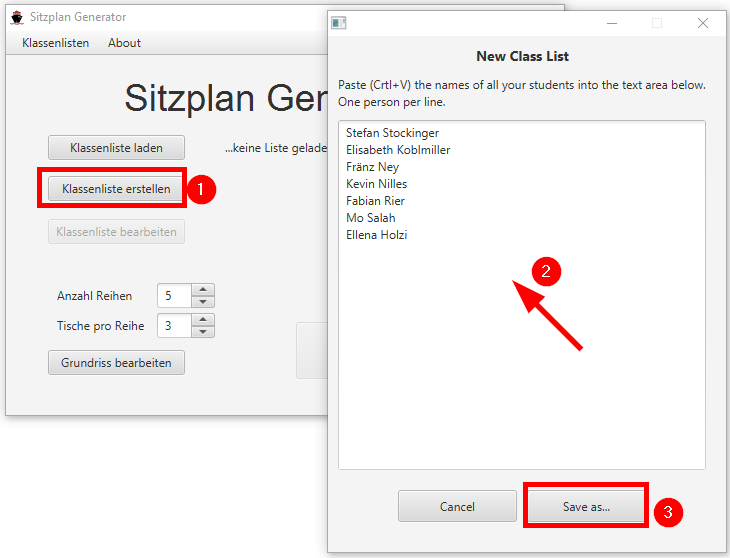
To create a new classlist, simply click on the button "Klassenliste erstellen" (2). Copy all your students names (Ctrl+C) and paste them (Ctrl+V) into the textfield (2). Save the classlist by pressing the "Save as.." Button (3). The classlist will be save with file extension '.json'.
Adapt classlist
Currently, the SitzplanGenerator does not provide an implemented edit functionality. The classlist can be adapted with an ordinary text editor, just like Notepad++, Gedit, or even the Windows Editor.
When you open the classlist with your editor of choice, it is a json formated text file and looks like the following listing.
{
    "0": {"name": "Stefan Stockinger"},
    "1": {"name": "Elisabeth Koblmiller"},
    "2": {"name": "Fränz Ney"},
    "3": {"name": "Kevin Nilles"},
    "4": {"name": "Fabian Rier"},
    "5": {"name": "Mo Salah"},
    "6": {"name": "Ellena Holzi"}
}
The index number and the name property are mandatory. There are also some optional fields:
Name of the property |
description |
value |
fixedChair |
assign a specific chair to a person |
"row.chair" |
sitAlone |
this person should sit alone |
true / false |
firstRow |
this person should sit in the first row |
true / false |
forbiddenNeighbors |
this person is not allowed to sit next to these persons |
list of names |
example:
{
    "0": {"name": "Stefan Stockinger"},
    "1": {"name": "Elisabeth Koblmiller"},
    "2": {"name": "Fränz Ney",
		  "fixedChair": "5.1", (1)
	      "sitAlone": true     (2)
		 },
    "3": {"name": "Kevin Nilles"},
    "4": {"name": "Fabian Rier",
	      "firstRow": true    (3)
		 },
    "5": {"name": "Mo Salah"},
    "6": {"name": "Ellena Holzi"}
}
| 1 | Främz Ney should sit in the 5th row on chair number 1 |
| 2 | Fränz Ney should sit alone |
| 3 | Fabian Rier should sit in the first row |
Edit class ground plan
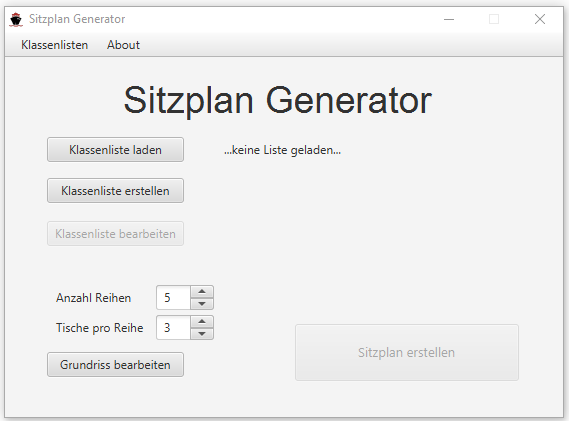
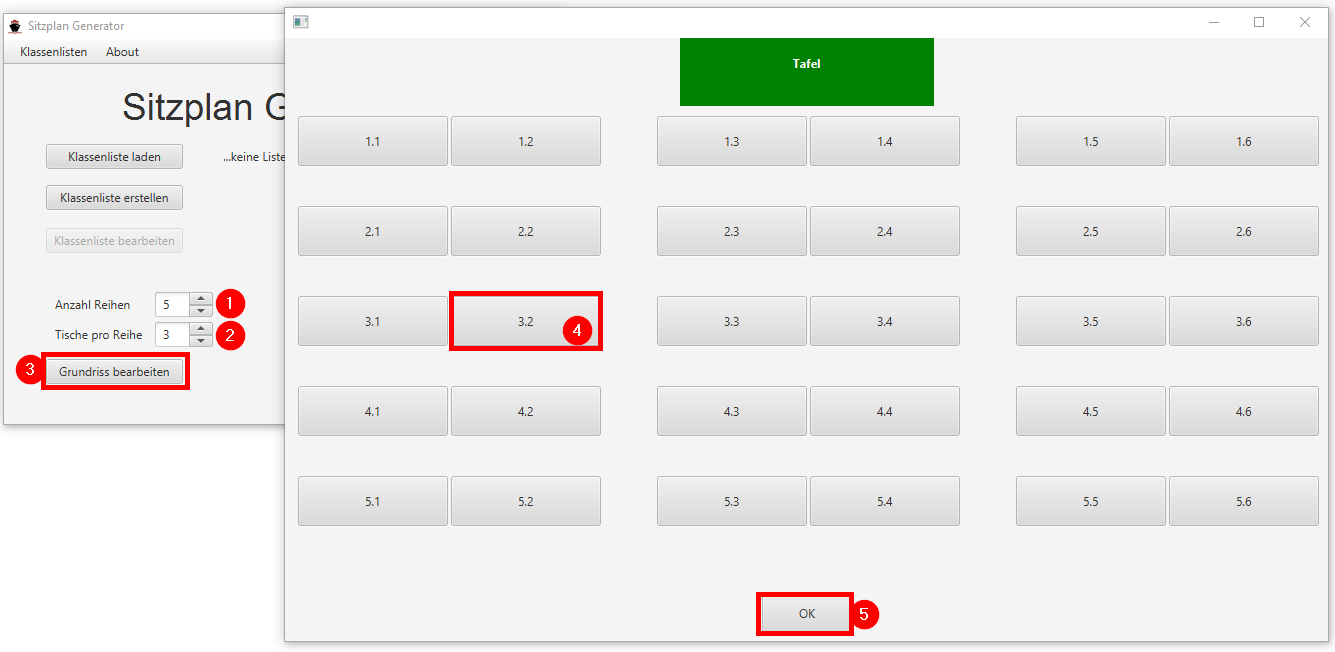
For the generation of a seating chart, the program has to know how many rows and how many tables there are per row. Set the number of rows and the number of tables in every row. Maybe in the last row there are less tables than in the other rows. By pressing the "Grundriss bearbeiten" the overview plan of the class room will open in a second window. YOu can disable seats by clicking on the button.
Create seating chart
To create the seating chart, press the "Sitzplan erstellen" button and the generated plan will open in an extra window.
Here you can save the plan as ".png", by clicking the "Speichern" button. To swap two person, enable the two desired persons (click on their names) and then press the "Vertauschen" button.
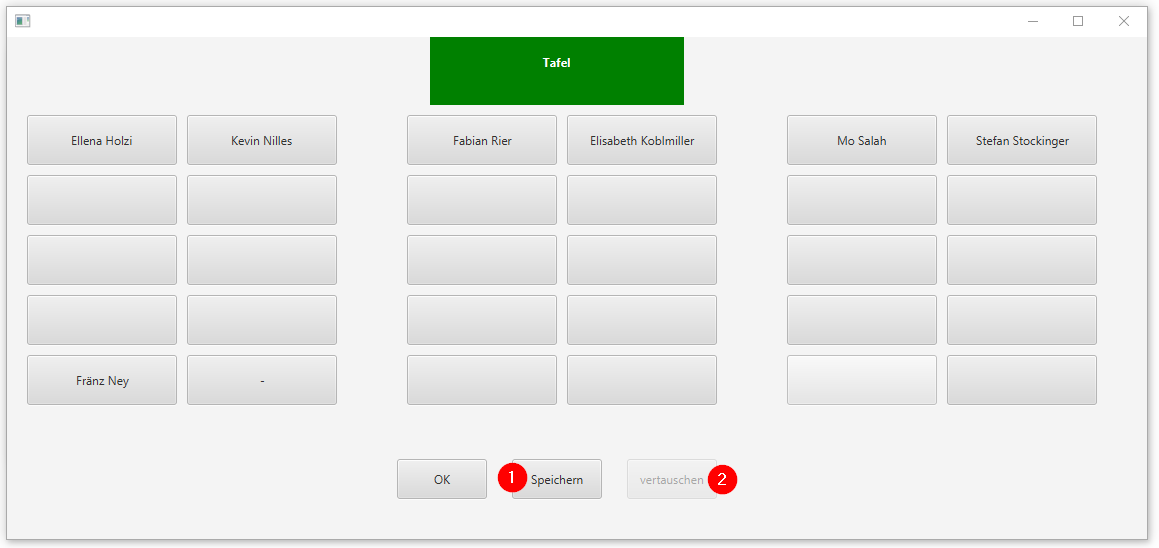
If you would like to rotate the names to have the teachers view, just click on "drehen".